


Introduction
Third-party libraries can make SuiteScript development faster, cleaner, and more efficient. Instead of building every feature from scratch, developers can use pre-written code to handle common tasks like data validation, API requests, calculations, formatting, and data manipulation.
Think of libraries as a developer toolbox. Rather than writing hundreds of lines of repetitive code, developers can use trusted tools to solve problems quickly and focus on building business logic.
Popular JavaScript libraries include:
| Library | Purpose |
|---|---|
| Lodash | Simplifies working with arrays, objects, and data |
| Zod | Validates and checks data structures |
| Axios | Simplifies API and HTTP requests |
| D3.js | Creates charts and visualizations |
| jQuery | Simplifies browser interactions |
For example, validating an email address or sorting large datasets may require complex custom code. A library can often handle the same task with a single function call.
Why Compatibility Matters in SuiteScript 2.1
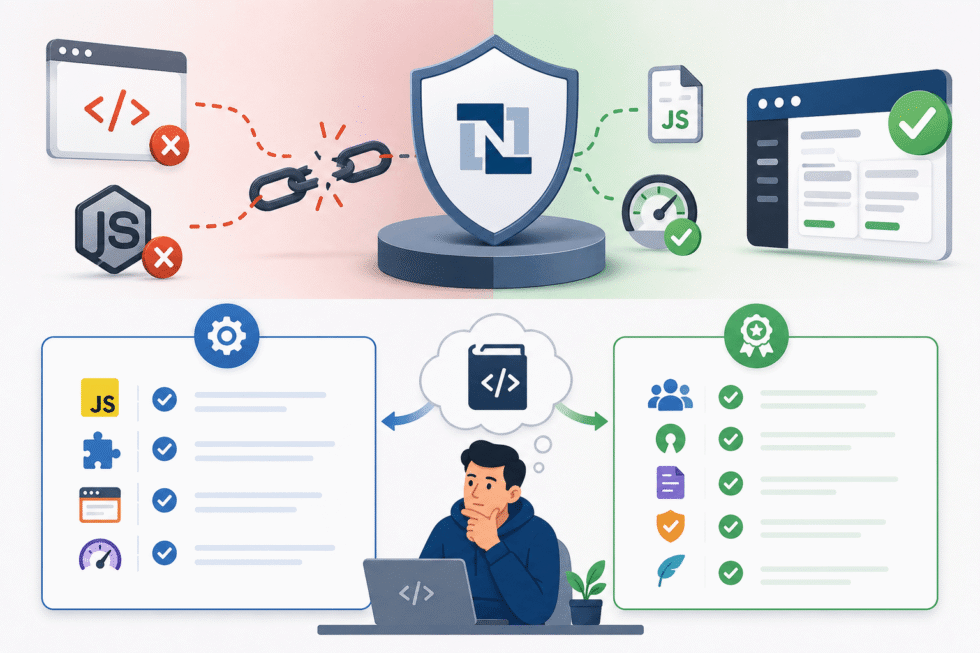
While libraries are powerful, not every JavaScript library works properly in NetSuite. SuiteScript 2.1 runs in a controlled JavaScript environment, meaning some libraries that depend on browser or Node.js features may fail or create performance issues.
That’s why developers should evaluate libraries carefully before integrating them into a SuiteCloud project.
Before using a library, ask two simple questions:
Can I use it?
Check whether the library:
- Is written in JavaScript
- Works within SuiteScript 2.1 runtime limitations
- Avoids unsupported Node.js or browser APIs
- Performs efficiently in NetSuite
Should I use it?
Even if a library works technically, it should also be:
- Widely used and trusted
- Open-source and actively maintained
- Well documented
- Reliable and lightweight
- Appropriate for your specific use case
How to Evaluate a Library
GitHub is one of the best places to research a library before using it.
When reviewing a repository, look for:
- Recent commits and active maintenance
- Strong community engagement
- Multiple contributors
- Clear documentation
- Popularity through stars and forks
You should also review the package.json file to understand environment compatibility and dependencies.
Look for Environment-Agnostic Libraries
Libraries designed to work across multiple JavaScript environments are often the safest choice for SuiteScript projects. These are sometimes labeled as:
- Universal
- Isomorphic
- Environment-agnostic
Many compatible libraries also use UMD (Universal Module Definition) patterns, which allow them to work in both browser and module-based environments.
Popular UMD-compatible libraries include Lodash, Zod, jQuery, D3.js, and Underscore.
Conclusion
Choosing the right third-party library is about more than convenience. The right library can improve development speed, reduce repetitive coding, enhance maintainability, and strengthen application performance. The wrong one can introduce compatibility issues, unsupported dependencies, and long-term maintenance challenges.
When in doubt, test libraries in a NetSuite sandbox environment first and lean on the SuiteScript developer community for guidance and recommendations.
About Suite Answers That Work
Suite Answers That Work is a NetSuite Solutions Provider with 30+ years of combined experience. We specialize in NetSuite implementation, optimization, integration, rapid project recovery, rescue services, and custom development.
Every business is unique, but with 40+ NetSuite clients over the last six years, our consultants have likely seen your challenge or created a similar solution.
If you would like more information about NetSuite, ERP optimization, or AI-enabled business process improvement, contact us today.