

How to Analyze a Balance Sheet in NetSuite Using Drill-Downs, Saved Searches, and Accounting Periods
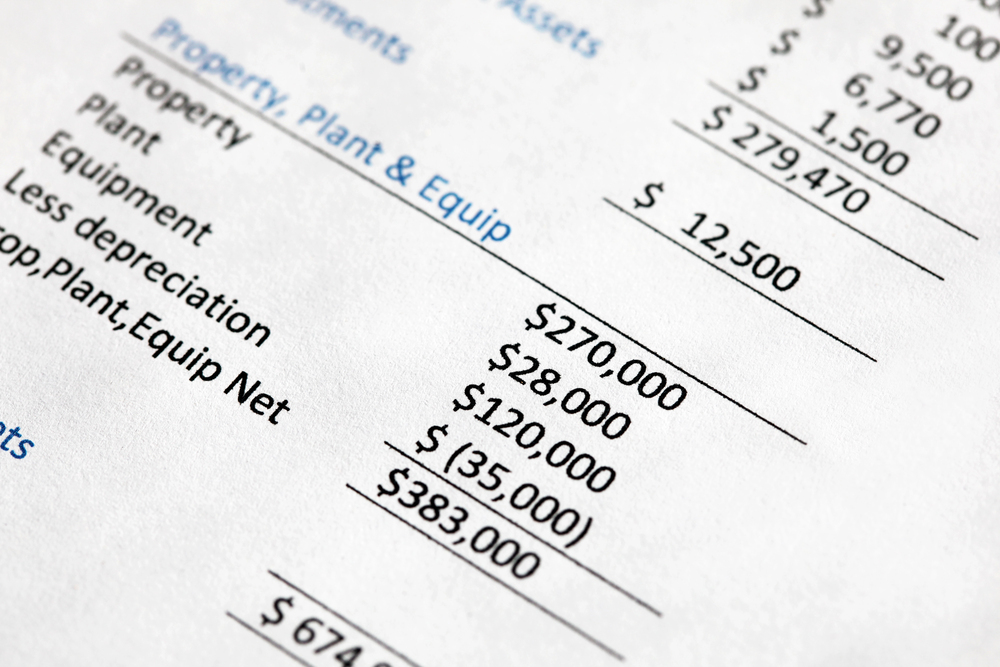
A balance sheet provides a point-in-time view of a company’s assets, liabilities, and equity. In NetSuite, however, the real value of the balance sheet is not only the summary number. It is understanding what makes up each balance, why it changed, and whether the underlying detail supports the financial statement.
For example, when finance teams review Accounts Receivable, they typically do not rely only on the total balance. They review an A/R Aging Report to understand which customers make up the balance, how old the receivables are, and whether any invoices require follow-up.
The same concept applies across the balance sheet:
- Inventory: Which items, locations, or inventory balances make up the total?
- Accrued Liabilities: Which expenses, vendors, or journal entries are included?
- Customer Deposits: Which customers paid, and what amounts remain unapplied?
- Clearing Accounts: What unresolved transactions remain in the account?
- Prepaids and Other Assets: Which balances should amortize or clear in future periods?
When you can break a balance into meaningful detail, the balance sheet becomes more than a static financial report. It becomes a practical tool for reconciliation, analysis, and decision-making.
Understanding Changes Over Time
Balance sheets are especially useful because they show movement from one period to another. A significant change in a balance may indicate that:
- New activity was posted.
- A prior balance was cleared or resolved.
- A reclassification or adjustment was recorded.
- An exception may require investigation.
Instead of exporting data into spreadsheets, NetSuite provides built-in reporting tools that can help finance teams analyze these changes directly in the system. With the right use of drill-downs, saved searches, and accounting periods, teams can answer balance sheet questions faster and with greater consistency.uestions directly. If you use its built-in tools correctly, you can analyze changes faster and with better accuracy.
What Makes Balance Sheet Analysis Different than Income Statement Analysis
One concept that often creates confusion is that balance sheet accounts are cumulative. They represent balances as of a specific date or accounting period, rather than activity for only one month.
That means balance sheet analysis usually answers the question:
“What makes up this balance today?”
Income statement analysis usually answers a different question:
“What happened during this period?”
This distinction is important when building NetSuite reports, saved searches, and reconciliation processes. For balance sheet accounts, the goal is often to explain the ending balance and validate the detail behind it.
How to Navigate Balance Sheets in NetSuite
NetSuite gives you powerful tools to explore and customize balance sheet data, if you know where to look.
Start with the Standard Balance Sheet
Go to: Reports > Financial > Balance Sheet

From the standard report, users can:
- Change the reporting date or accounting period.
- Expand or collapse account groupings.
- Drill down into account balances.
- Review transaction-level detail.
- Compare balances across periods.
- Customize the report layout.

Clicking Customize provides additional flexibility, including the ability to:
- Add or remove columns.
- Show subsidiaries, departments, classes, or locations.
- Filter for specific accounts.
- Change how financial data is grouped.
- Save a customized version for recurring use.

Recommendation: Save customized balance sheet views that support recurring month-end close and reconciliation activities. This helps standardize analysis across the finance team.
Use Saved Searches for Deeper Analysis
Saved searches are one of the most effective tools for analyzing balance sheet detail in NetSuite. While the standard Balance Sheet Report provides the financial statement view, saved searches can help explain the transactions behind the balances.
Saved searches can be used to:
- Break balances down by customer, vendor, item, subsidiary, department, class, or location.
- Filter for posting transactions only.
- Identify unusual or unexpected balances.
- Create reusable reconciliation reports.
- Support the month-end close review procedures.
Examples of useful balance sheet saved searches include:
- Customer deposits by customer.
- Accounts receivable detail by customer and aging category.
- Inventory value by item and location.
- Accrued liabilities by vendor or journal entry.
- Clearing account transactions that have not been resolved.
- Negative asset, liability, or equity balances requiring review.
Focus on Accounting Period (Not Just Dates)
NetSuite financial reporting is often driven by accounting periods, not only transaction dates. This distinction matters because a transaction date and posting period may not always be the same.
For financial reporting and reconciliation, users should confirm whether they are analyzing data by:
- Transaction date.
- Posting period.
- Accounting period.
- Fiscal period or fiscal calendar.
This is especially important during the month-end close, when late entries, reopened periods, or adjusting journal entries can affect financial results. Using the correct period logic helps ensure that saved searches reconcile to financial reports.
Practical Ways to Improve Balance Sheet Analysis in NetSuite
Break Down by Entity
Use NetSuite reporting and saved searches to analyze balances by customer, vendor, or other entity. This is especially useful for accounts such as Accounts Receivable, Customer Deposits, Accounts Payable, and Accrued Liabilities.
This helps finance teams identify concentration risk, aging issues, unapplied balances, and unusual account activity.
Compare Periods
Period-over-period comparisons help identify significant changes in balance sheet accounts. Large movements should be reviewed to determine whether they are expected, properly classified, and supported by underlying detail.
Highlight Exceptions
Exception-based reporting can help finance teams focus on items that require attention. Examples include:
- Negative balances where they are not expected.
- Unapplied customer deposits.
- Old transactions in clearing accounts.
- Large one-time journal entries.
- Balances posted to unexpected subsidiaries, departments, or locations.
- Accounts with no activity but remaining balances.
Build Reusable Views
Saved searches and customized reports should be designed for repeatable use. This allows the finance team to standardize monthly balance sheet review procedures and reduce manual spreadsheet work.
Reusable views can also improve audit readiness by making it easier to explain balances and support account reconciliations.
Conclusion
A balance sheet is more than a financial statement. It is a tool for understanding what your business owns, what it owes, and how financial activity is accumulating over time.
In NetSuite, effective balance sheet analysis depends on knowing how to drill into balances, analyze transaction detail, use accounting periods correctly, and build saved searches that support recurring review. When these tools are used well, finance teams can explain balances more clearly, identify exceptions faster, and reduce reliance on manual spreadsheet analysis.
About Us
We are a NetSuite Solutions Provider with 30+ years of combined experience. We specialize in implementation, optimization, integration, rapid project recovery and rescue, and custom development to meet any business need. Although every business is unique, with 40+ NetSuite clients over the last 6 years, our NetSuite Consultants have most likely seen your challenge or created a similar solution. If you would like more information on NetSuite or have questions on your project or want todiscuss how QueBIT can help improve your NetSuite reporting, reconciliations, saved searches, or financial close process, contact our NetSuite consulting team.Here.