


Large-scale Map/Reduce scripts in NetSuite often operate on thousands or hundreds of thousands of records. Without intentional controls, these scripts risk governance exhaustion, timeouts, partial execution, and difficult recovery scenarios.
Two common and effective strategies are used to limit processing size and runtime:
- Input capping (record count limits)
- Saved search range filtering
Each approach serves a different operational goal. Understanding when and why to use each is critical for building reliable, maintainable automation.
Why Limiting Map/Reduce Input Matters
Unbounded Map/Reduce executions introduce several risks:
- Excessive execution time
- Reduce-stage governance exhaustion
- Partial updates without clear recovery paths
- Inconsistent behavior across executions
- Difficulty rerunning or resuming after failure
By explicitly limiting the input set, execution becomes:
- Predictable
- Testable
- Easier to monitor
- Safer to rerun in production
Approach One: Input Cap
What it is
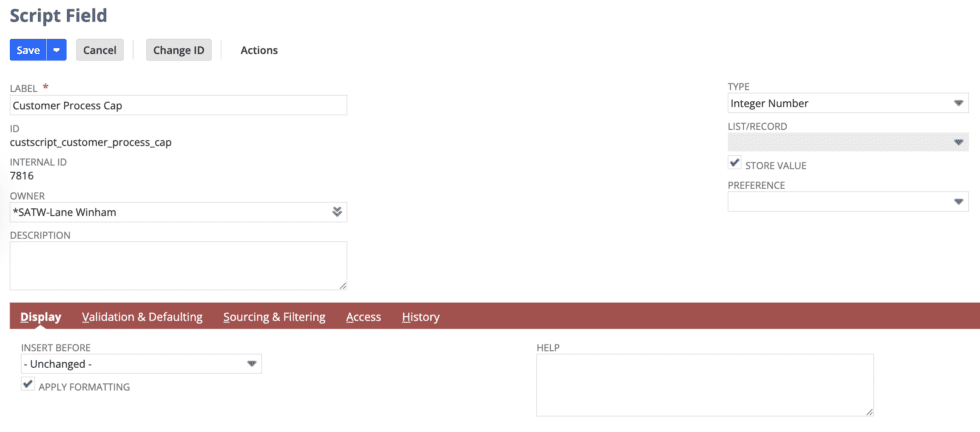
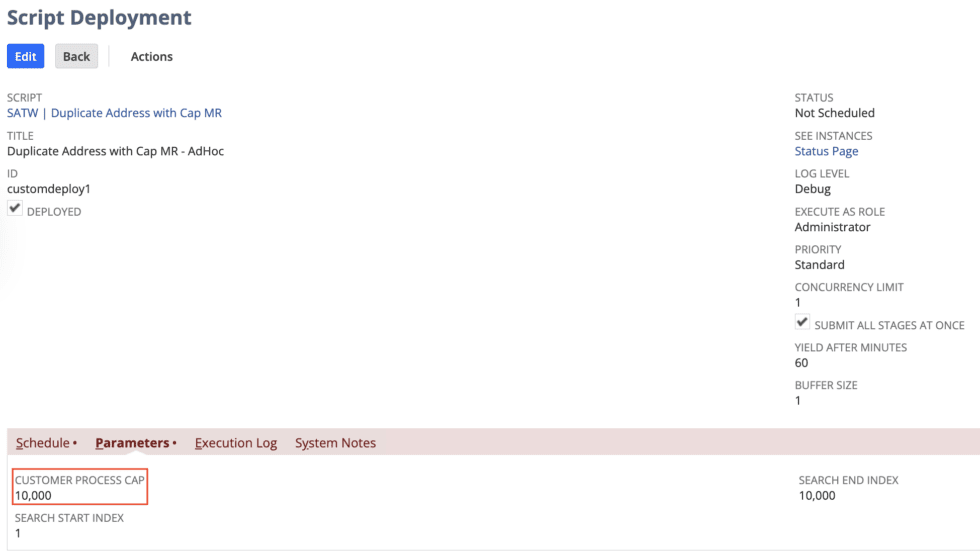
An input cap limits the number of records passed into the Map/Reduce pipeline, regardless of how many records the underlying search returns.
This is typically implemented by stopping collection once a configured threshold is reached.
When this approach is useful
- Development and testing
- Proof-of-concept runs
- One-time cleanup scripts
- Small-to-medium datasets
- Situations where resumability is not required
Benefits
- Simple to implement
- Easy to adjust via deployment parameters
- Useful for quickly validating script behavior
Limitations
- Search still executes beyond the cap
- Results are not easily resumable
- Less deterministic for long-running or repeatable jobs
Approach Two: Saved Search Range Filtering
What it is
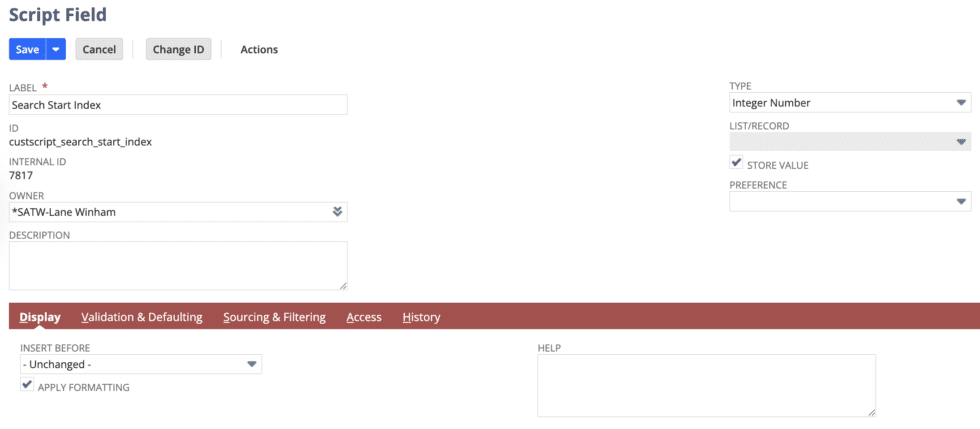
Saved search range filtering restricts the dataset at the source, ensuring only a defined slice of records enters the Map/Reduce pipeline.
Instead of “take the first X number of records,” this approach defines a start and end index (for example, records 1–8000).
When this approach is preferred
- Large datasets
- Long-running scripts
- Production batch processing
- Scripts that may fail and need to be resumed
- Scenarios requiring predictable execution windows
Benefits
- Deterministic input size
- Lower governance consumption
- Clear execution boundaries
- Safe resumability after failures
- Easier operational control
Limitations
- Slightly more setup
- Requires stable search ordering

Comparing the Two Approaches
Input capping prioritizes simplicity and speed, while saved search range filtering prioritizes determinism and safety.
Input capping is easier to implement but provides limited control for large or repeatable executions. Saved search range filtering requires slightly more planning but enables predictable batch processing and safe recovery.
Which Approach Is Better
The better approach depends on intent.
Use an input cap when testing logic, validating behavior, or running short-lived scripts against small datasets.
Use saved search range filtering when processing large datasets, running scripts in production, or when failures must be recoverable without reprocessing prior records.
For most production Map/Reduce scripts, saved search range filtering is the stronger and safer choice.
Recommended Leading Practice
In practice, the most reliable design combines both approaches.
Saved search range filtering defines the execution window, while an input cap acts as a safety net. Together, they provide controlled execution, governance protection, and operational flexibility during testing and rollout.
Conclusion
Limiting runtime and processing size in NetSuite Map/Reduce scripts is essential for reliability. Input caps provide simplicity during development, while saved search range filtering delivers the predictability and resilience required for production workloads.
Selecting the appropriate strategy ensures consistent execution, easier recovery, and long-term maintainability of NetSuite automation.
About Us
We are a NetSuite Solutions Provider with 30+ years of combined experience. We specialize in implementation, optimization, integration, rapid project recovery, and rescue, as well as custom development to meet any business need. Although every business is unique, with 40+ NetSuite clients over the last 6 years, our NetSuite Consultants have most likely seen your challenge or created a similar solution. If you would like more information on NetSuite or just have questions on your project, feel free to contact us Here.